
Touchless TSA PreCheck is the newest way to speed through airport security — and it’s absolutely worth taking a few minutes to set up before your next trip.
On a recent trip through PDX, the TSA PreCheck Touchless ID line remained completely empty while I stood, utterly baffled, in the regular TSA PreCheck line. An expedited expedited line. I had no idea.
Touchless TSA PreCheck has been rolled out with only a handful of airlines, and not all airports serviced by those airports currently participate. As of now, participating airlines and airports include:
- Alaska Airlines (ATL, DAL, DCA, DEN, DTW, HNL, HOU, IAD, IAH, JFK, LAS, LAX, MCI, MSP, MYS, ORD, PDX, PHL, SAT, SEA, SFO, SJC, SLC, SNA, STL)
- American Airlines (ANC, ATL, BOS, CLT, DCA, DEN, DFW, DTW, EWR, FLL, HOU, IAD, IAH, JFK, LAS, LAX, LGA, MCI, MCO, MIA, MSP, ORD, PBI, PDX, PHL, SEA, SFO, SJC, SLC, SMF, SNA)
- Delta Air Lines (ATL, BOS, CLT, DAL, DCA, DEN, DFW, DTW, EWR, HOU, IAD, IAH, JFK, LAS, LAX, LGA, MCI, MSP, ORD, PBI, PDX, PHL, SEA, SFO, SJC, SLC, SNA)
- Southwest Airlines (ATL, BOS, CLT, DAL, DEN, DTW, IAD, HOU, LAS, LAX, LGA, MCI, OAK, ORD, PBI, PDX, PHL, SEA, SFO, SJC, SLC, SNA)
- United Airlines (ATL, BOS, CLT, DCA, DEN, DFW, EWR, IAD, IAH, JFK, LAS, LAX, LGA, MCI, MSP, ORD, PBI, PDX, PHL, SEA, SFO, SJC, SLC, SNA)
If you already have TSA PreCheck (or Global Entry) and your passport information and Known Traveler Number are uploaded in your airline profile, you simply need to opt in to activate Touchless ID.
It is important to keep in mind that passengers will have to go through the opting-in process for each participating airline as the information will not be updated automatically within the TSA PreCheck Touchless ID system. Double check that your boarding pass shows the updated Touchless ID logo.
Below is exactly how to update your Alaska Airlines profile — both on desktop and in the mobile app.

How to Activate Touchless TSA PreCheck on Alaska Airlines (Desktop)
My experience updating through Alaska Airlines was much simpler on desktop than mobile, so I recommend starting there if possible.
- Log into your Alaska Airlines account on a desktop browser.
- Click your profile icon in the upper right-hand corner (the little person outline or your first initial).
- Select “Profile and Settings” (gear icon).
- Click “Travel Documents” under “Contact Info.”
- Confirm your passport information and TSA PreCheck or Global Entry Known Traveler Number are entered correctly.
- Locate “TSA PreCheck Touchless ID” (just below Traveler Number and above Add Redress Number).
- Toggle to opt in.
- Click the blue “Save” button.
- Refresh the page.
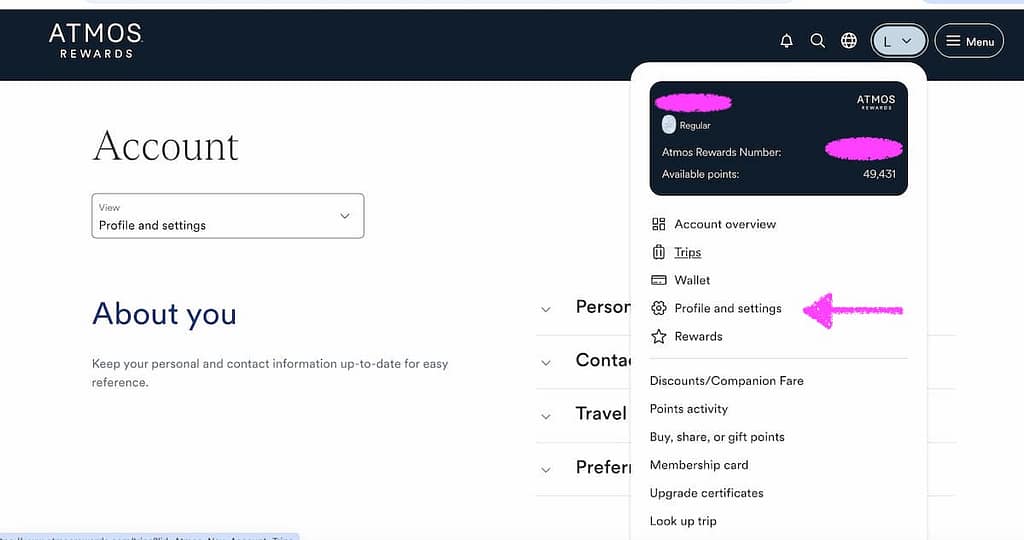
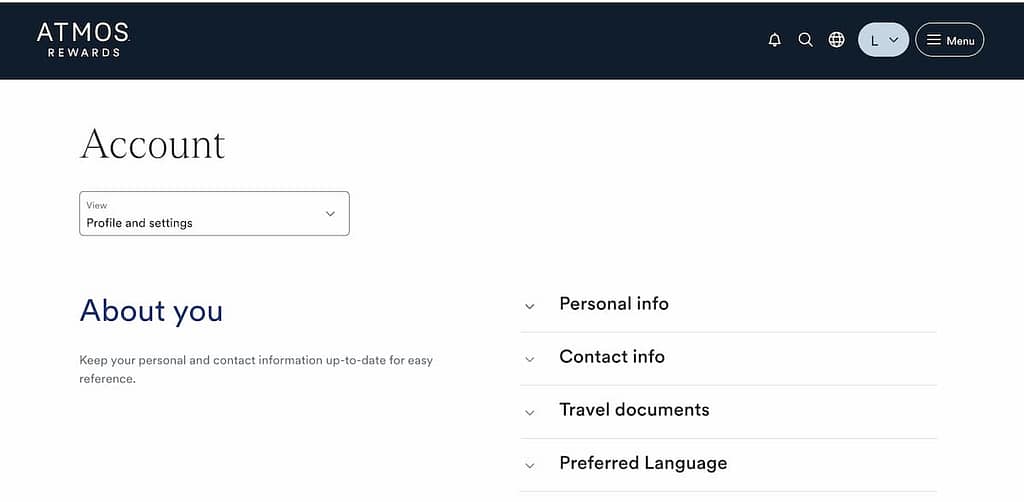
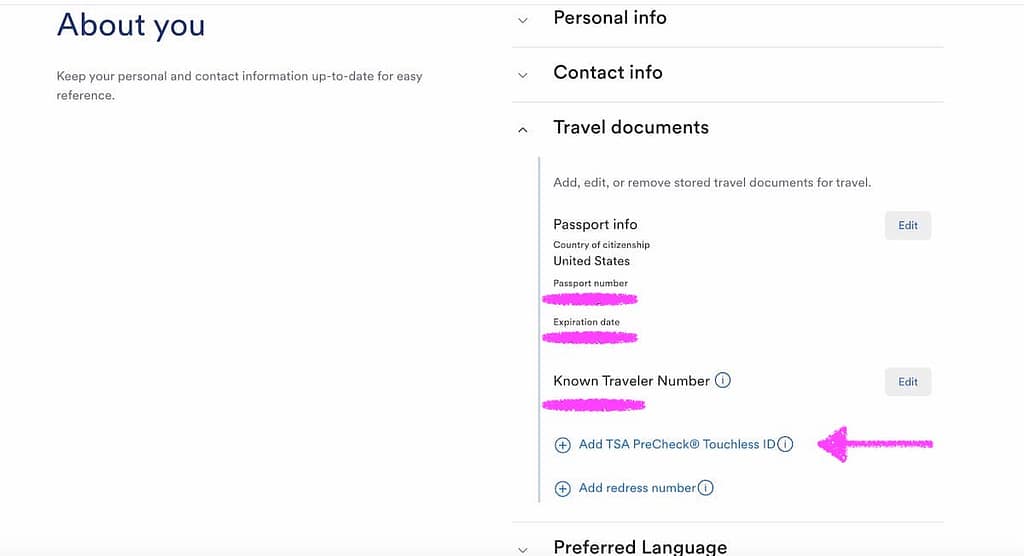
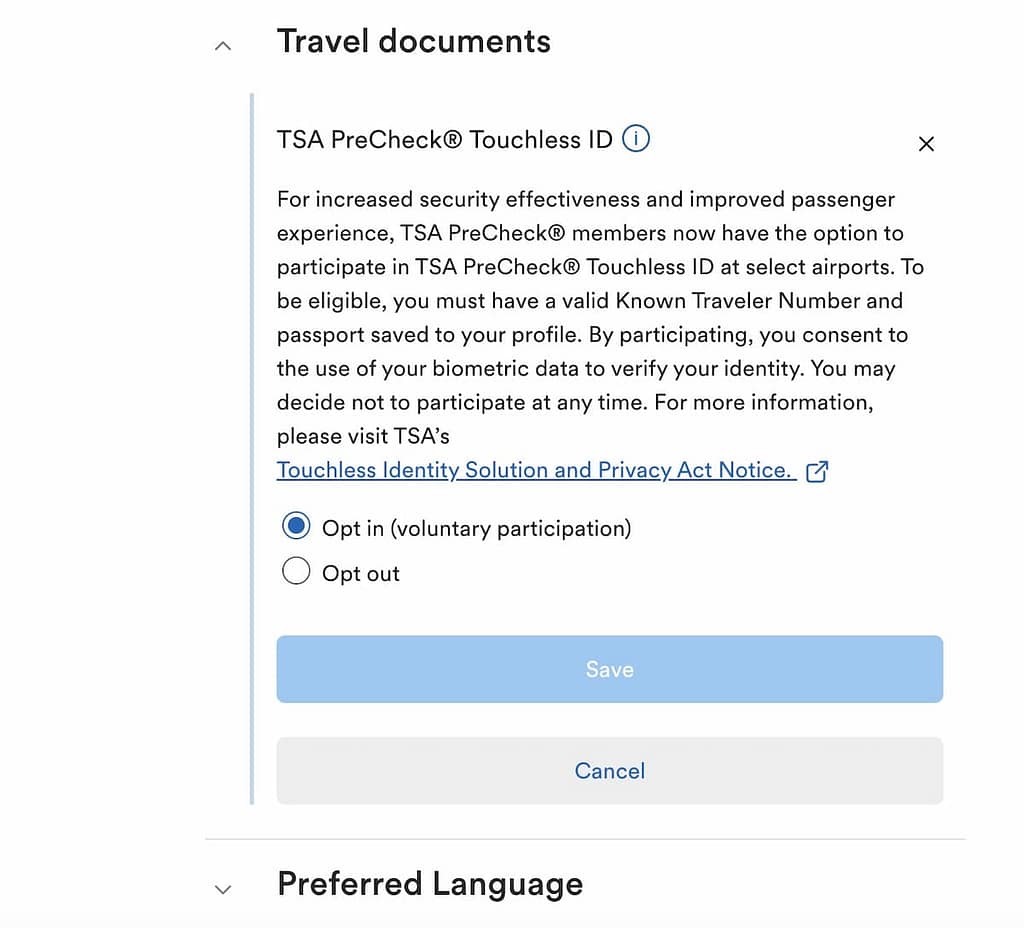
The change should process instantly.
Your updated Touchless TSA PreCheck status will appear on your boarding pass. If you already downloaded a digital boarding pass, you may need to delete it and re-download it for the update to reflect.
Your boarding pass will look slightly different — confirm the update before heading to security.

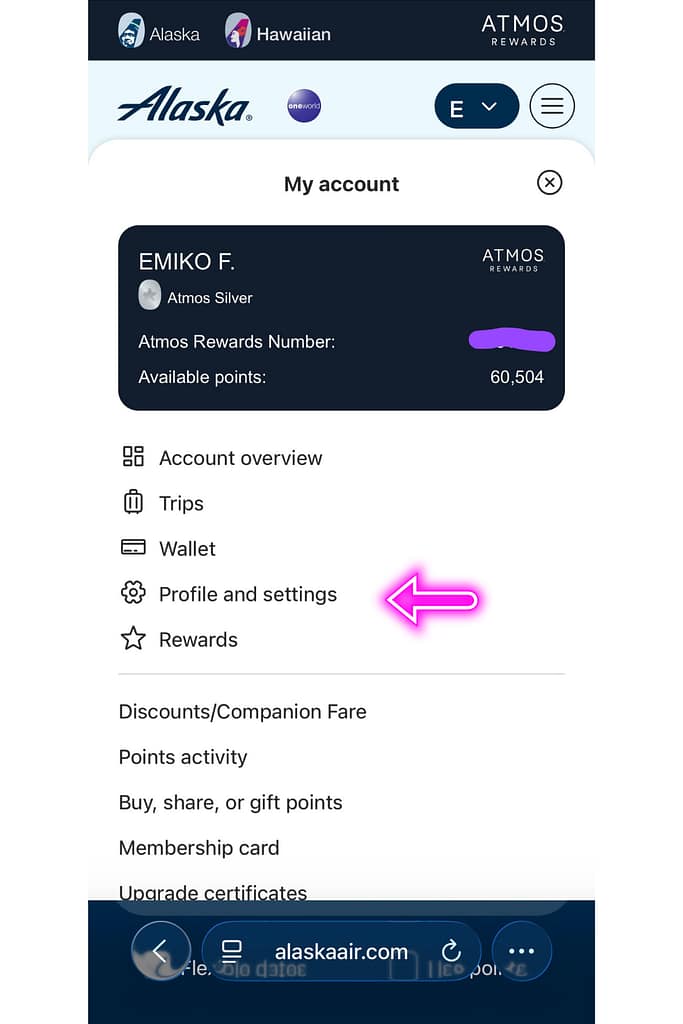
How to Activate Touchless TSA PreCheck in the Alaska Airlines Mobile App
The mobile update requires a few extra taps, but the process is essentially the same.
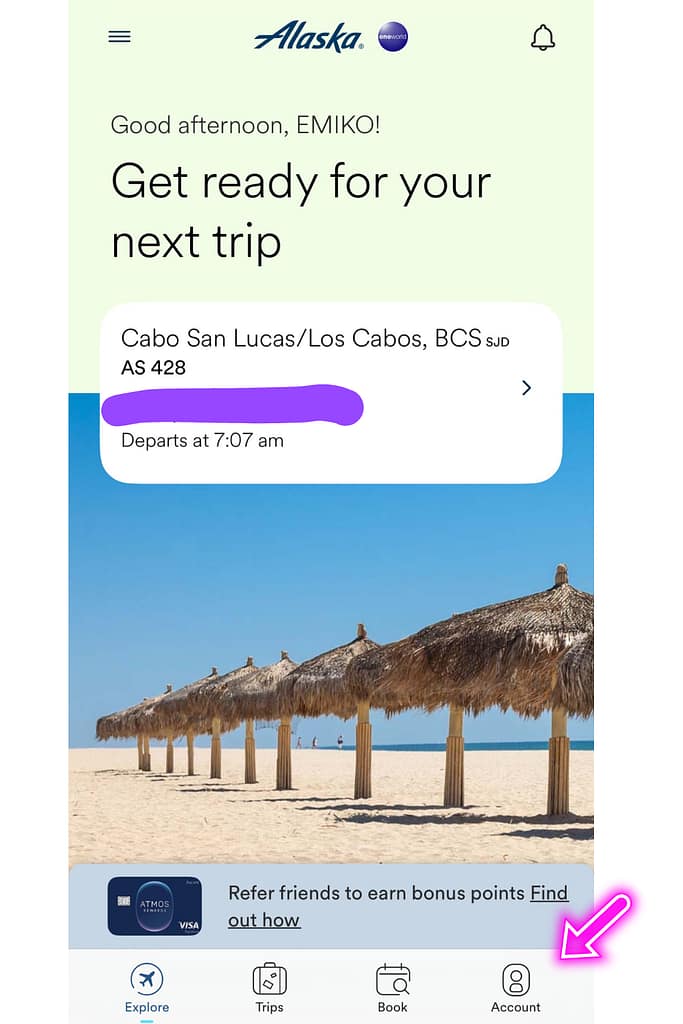
- Log into the Alaska Airlines mobile app.
- Tap your account icon in the lower right-hand corner.
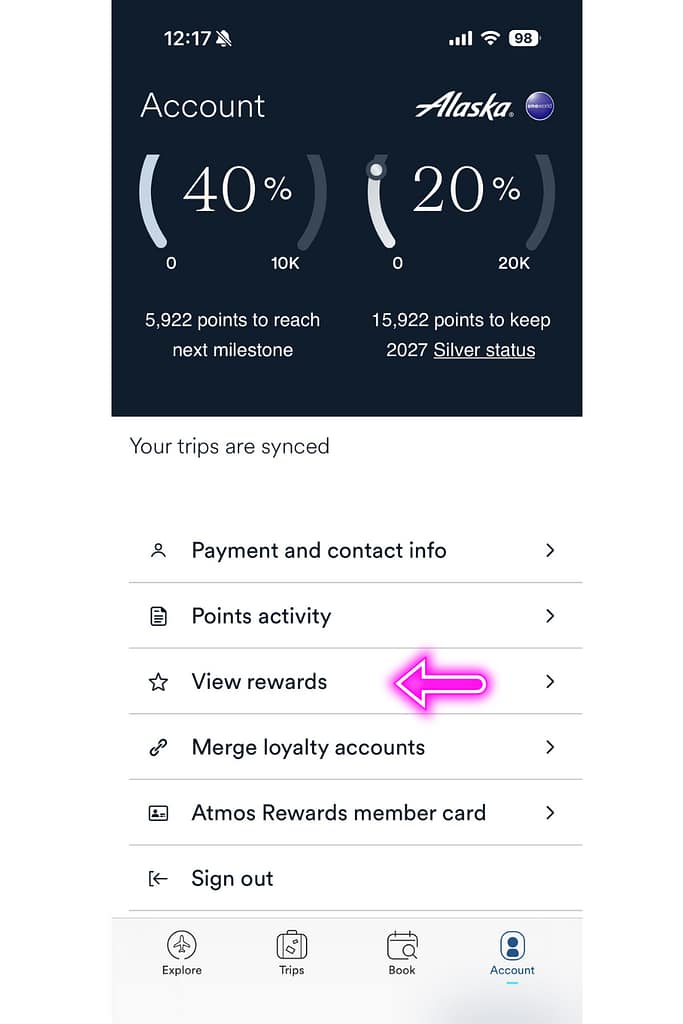
- Scroll down and tap “View Rewards.”
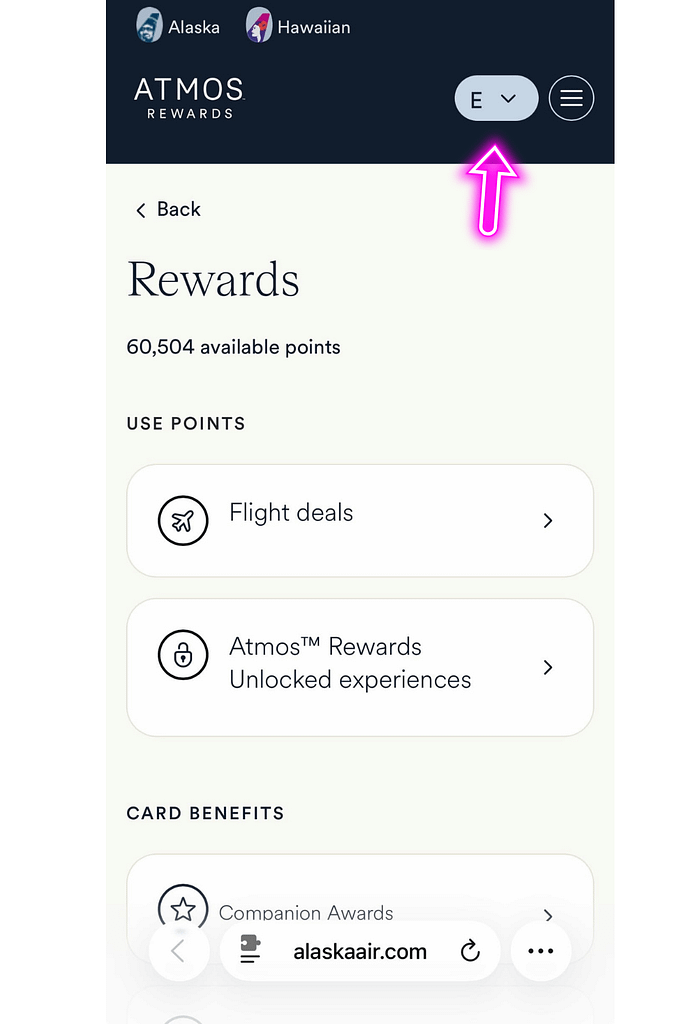
- On the next screen, tap the dropdown in the upper right corner (dark circle with your initial and a down arrow).
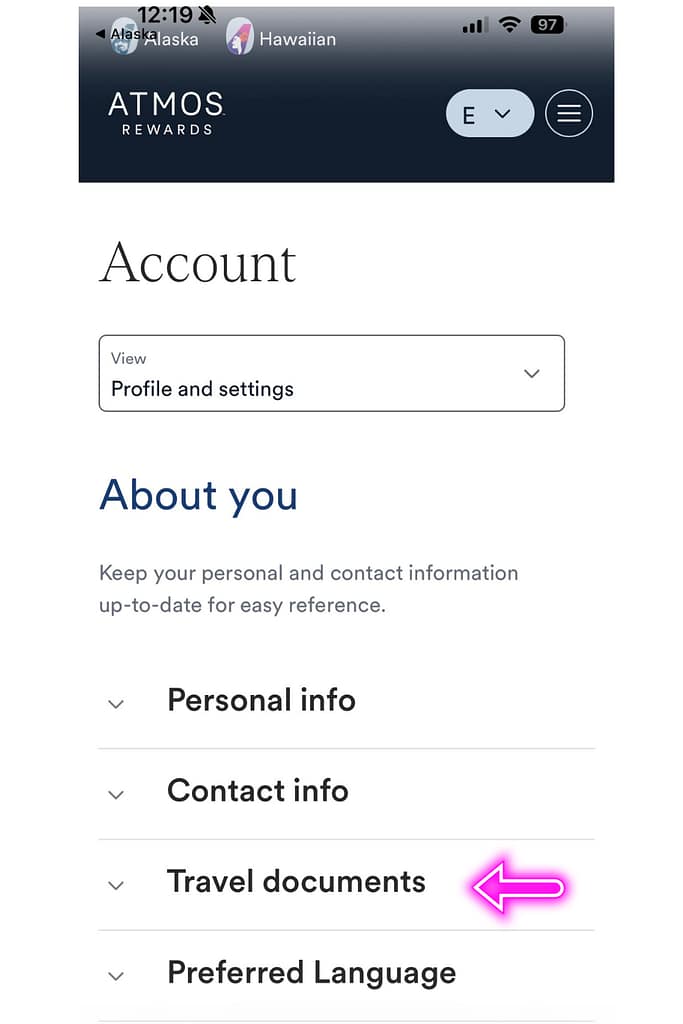
- Select “Profile and Settings.”
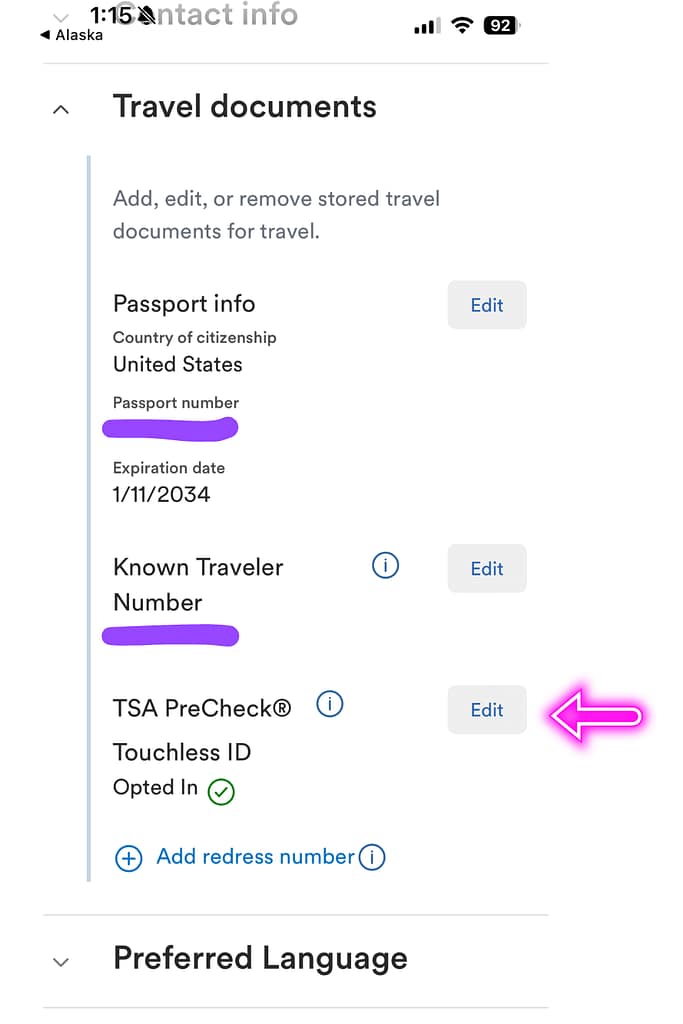
- Open the dropdown under “Travel Documents.”
- Locate “TSA PreCheck Touchless ID” under “Known Traveler Number” and above “Add redress number”.
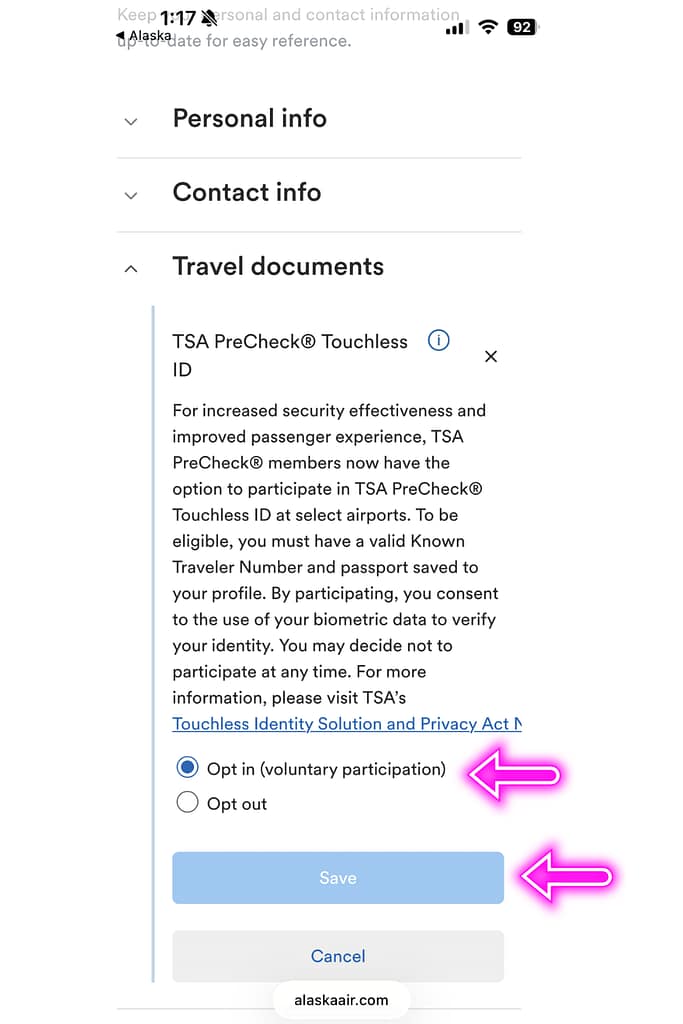
- Click “Edit” in TSA PreCheck and toggle to “Opt In.” (It defaults to opting out.)
- Tap the blue “Save” button at the bottom.
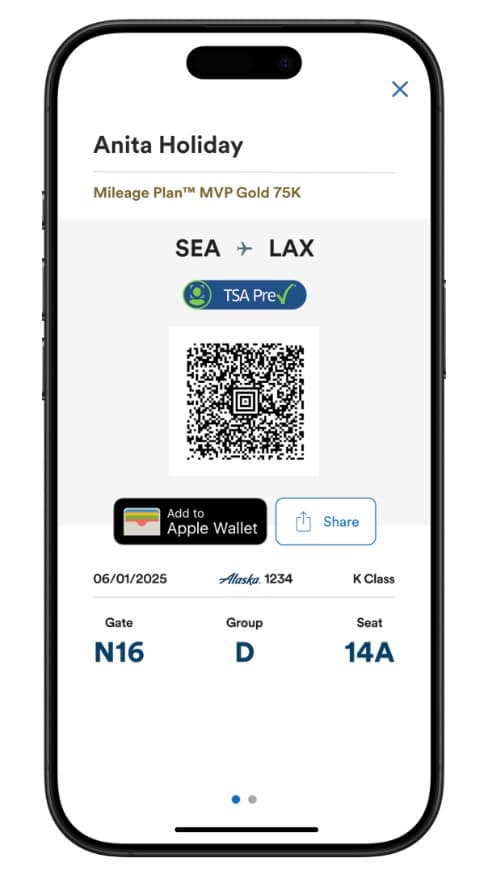
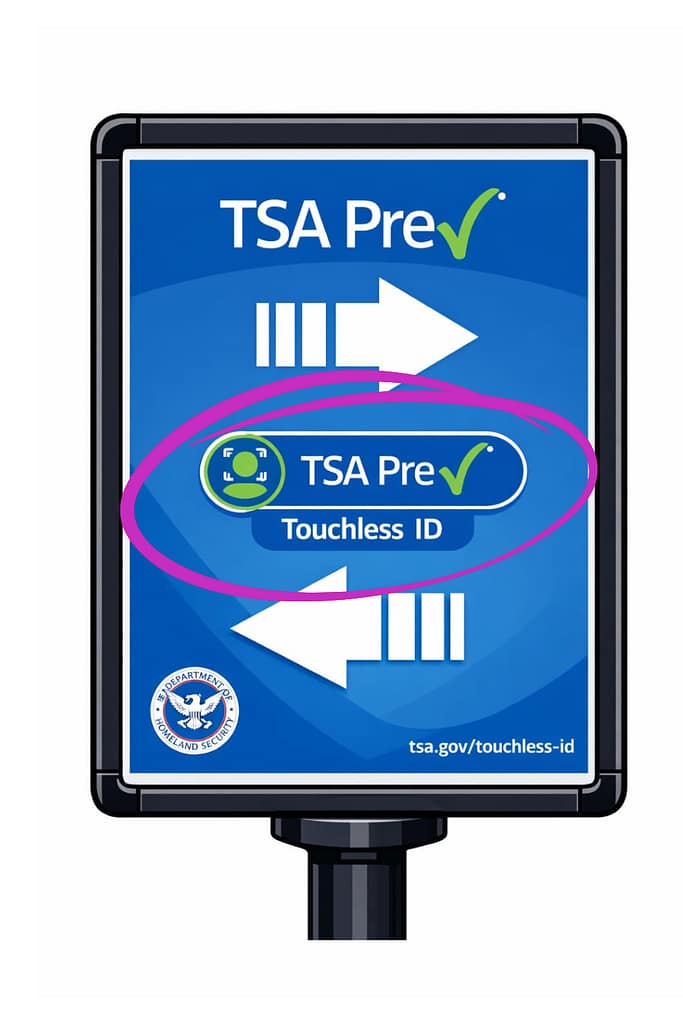
Again, you may need to regenerate your boarding pass for the Touchless TSA PreCheck indicator to appear. Confirm the TSA PreCheck insignia looks different than before.
Is Touchless TSA PreCheck Worth It?
I admit it feels slightly ridiculous that there is now an expedited expedited security line.
But it costs nothing extra, takes only a few minutes to activate, and — at least in my recent PDX experience — dramatically reduces wait time.
So yes. I’m opting in!
Final Thoughts
TSA has reported that by Spring of 2026, 65 airports nationwide will be participating in TSA PreCheck Touchless ID. While it may take time for the system to be seamless and operational at most airports, in the meantime, it is a great added feature to enhance the speed of airport security for participating airports.
I am really looking forward to my next flight now that I’ve opted in. I’ll no longer be pulled over to the side of the normal TSA PreCheck line wondering how I missed an opportunity to optimize.